
All guides
Quick search and shortcuts
Press Ctrl K anywhere for one box that finds anything, runs commands and rolls dice. It's the fastest way around the app mid-session.
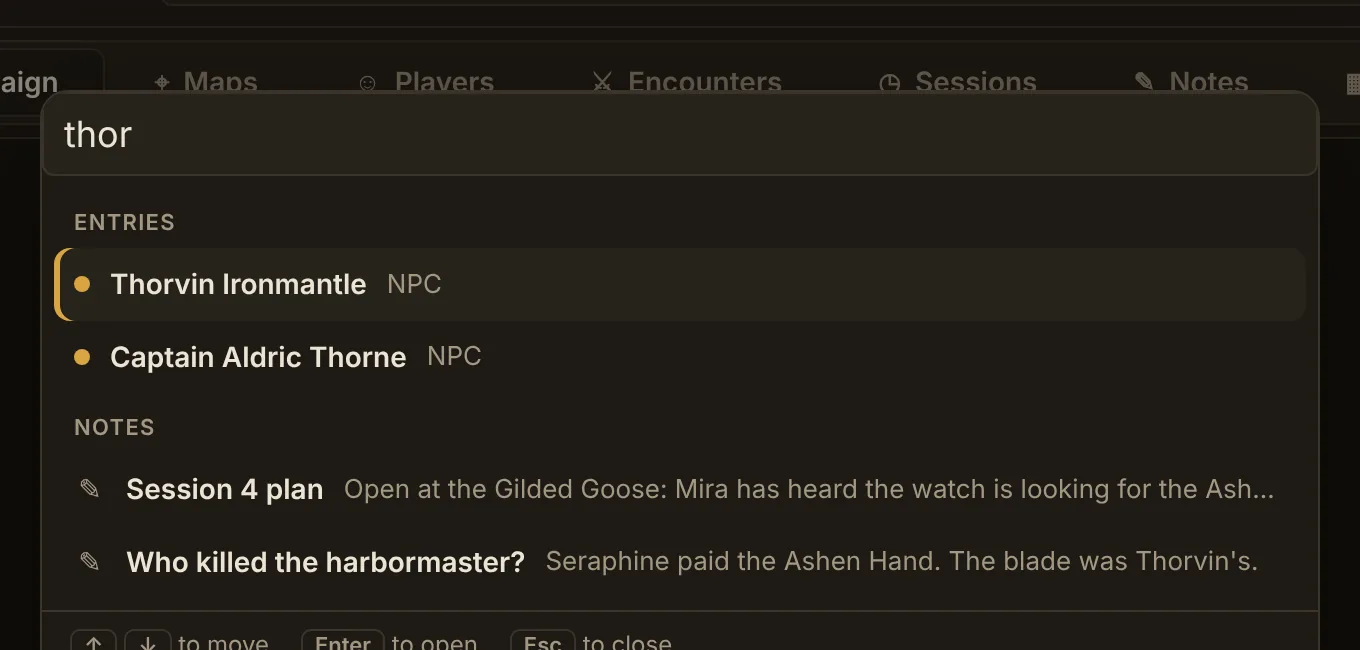
Find anything
Type part of a name to find entries, player characters, encounters, sessions, notes (by what they say, too) and roll tables, best matches first. Use the arrow keys to move and Enter to open. Esc closes it. You can also click Search at the left of the tab bar.
Run commands
Type what you want to do:
- “new note”, “new NPC”, “new encounter”
- “go to encounters”, or any other tab
- “open the player screen”
- “dark mode”, “appearance options”
- “export”
Roll dice and tables
Type a roll like 1d20+5, 4d6kh3 or adv+3 and press Enter. Type a table's name to roll on it right in the box, with Roll again, Show players and Open table.
Keyboard shortcuts
| Ctrl K | Quick search |
| F9 (hold) | Push to talk, when listening is set to push to talk |
| Enter | In “What did the table say?”: look it up. In an encounter's HP box: apply damage. |
| F11 | On the player screen: full screen on or off (double-click works too) |
| Esc | Close a dialog, a picture or quick search; leave full screen on the player screen |
| Double-click | On a map: add a pin. On a die in the dice panel: roll it. |