
All guides
Players
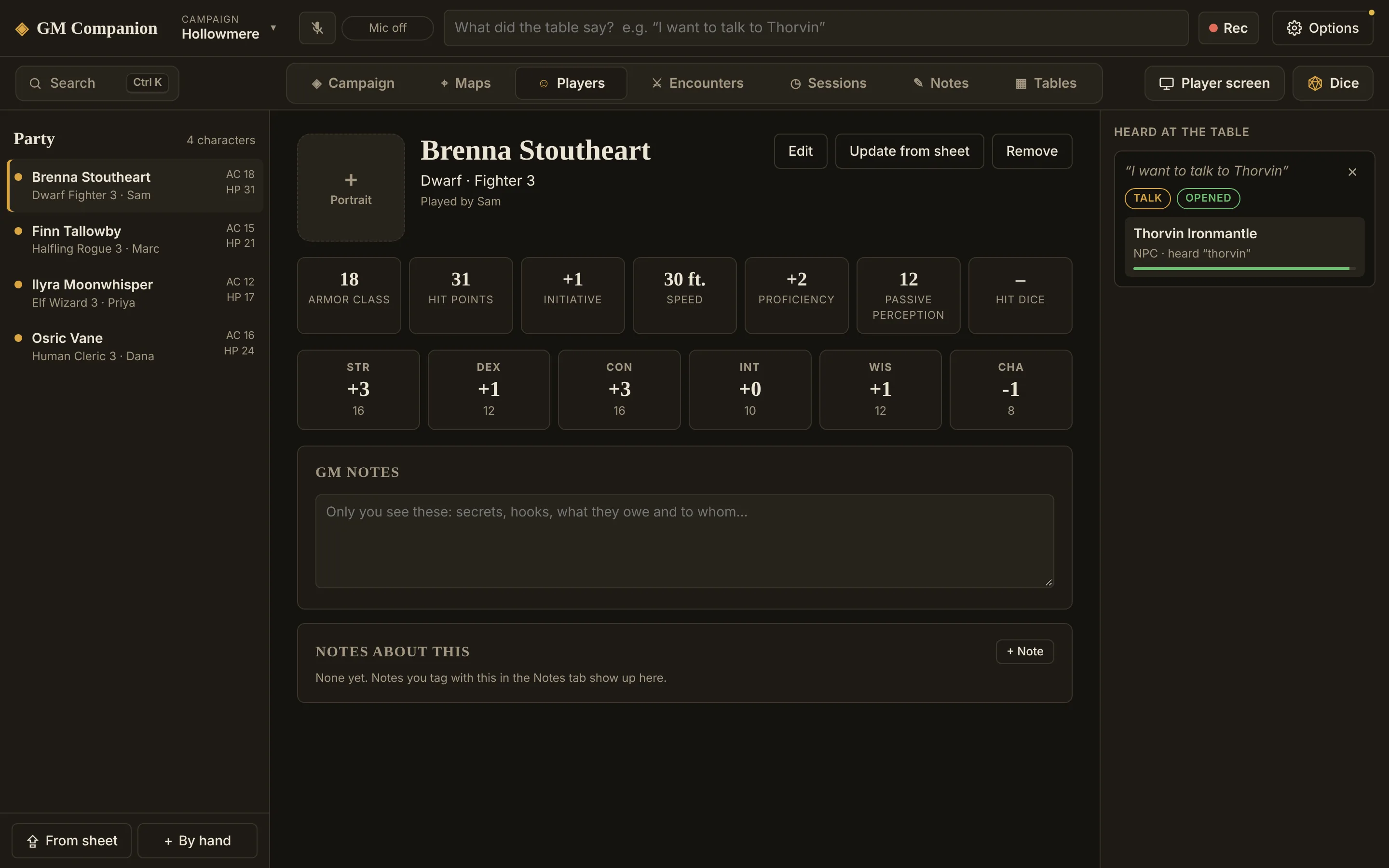
The Players tab keeps your party: one page per character, with their stats at a glance and your private notes. Add each character once, and they're ready for every encounter.
Add a character from their sheet
- Get the sheetThe quickest is a D&D Beyond PDF export or the official fillable 5e character sheet.
- Click From sheetAt the bottom of the party list, or drop the file onto the list.
- Check and saveThe character opens in an editor showing everything that was read. Fix anything that's off, then save. Nothing is saved until you do.
From those two sheets, the app reads everything exactly: class and level, race, background, ability scores, AC, HP, initiative, speed, saves and skills, passive Perception, attacks, spells, equipment, personality and backstory.
Other sheets (a non-fillable PDF, Homebrewery, a text file) are read by your AI model, which fills the same fields and is told not to invent anything. That needs an AI model.
Add a character by hand
By hand opens an empty character. Fill in as much or as little as you like: a name, the player's name, and AC and HP are enough to run a fight.
Using the party
- At a glance: the list shows each character's AC and HP; their page shows everything else.
- GM notes: private notes on each character, like hooks, what they owe and to whom. They save when you click away.
- Encounters: Add the party brings everyone into a fight, and the difficulty is worked out for their levels. See Encounters.
- Level up: when a player sends a newer export, Update from sheet reads it again and keeps your GM notes.
- Portraits: click the square next to the name, or drop a picture on it.