
All guides
Encounters
Plan your fights before the session, then run them at the table: initiative, hit points, conditions, concentration and death saves, all in one place. Encounters use the 2024 rules and the monsters of the SRD 5.2.
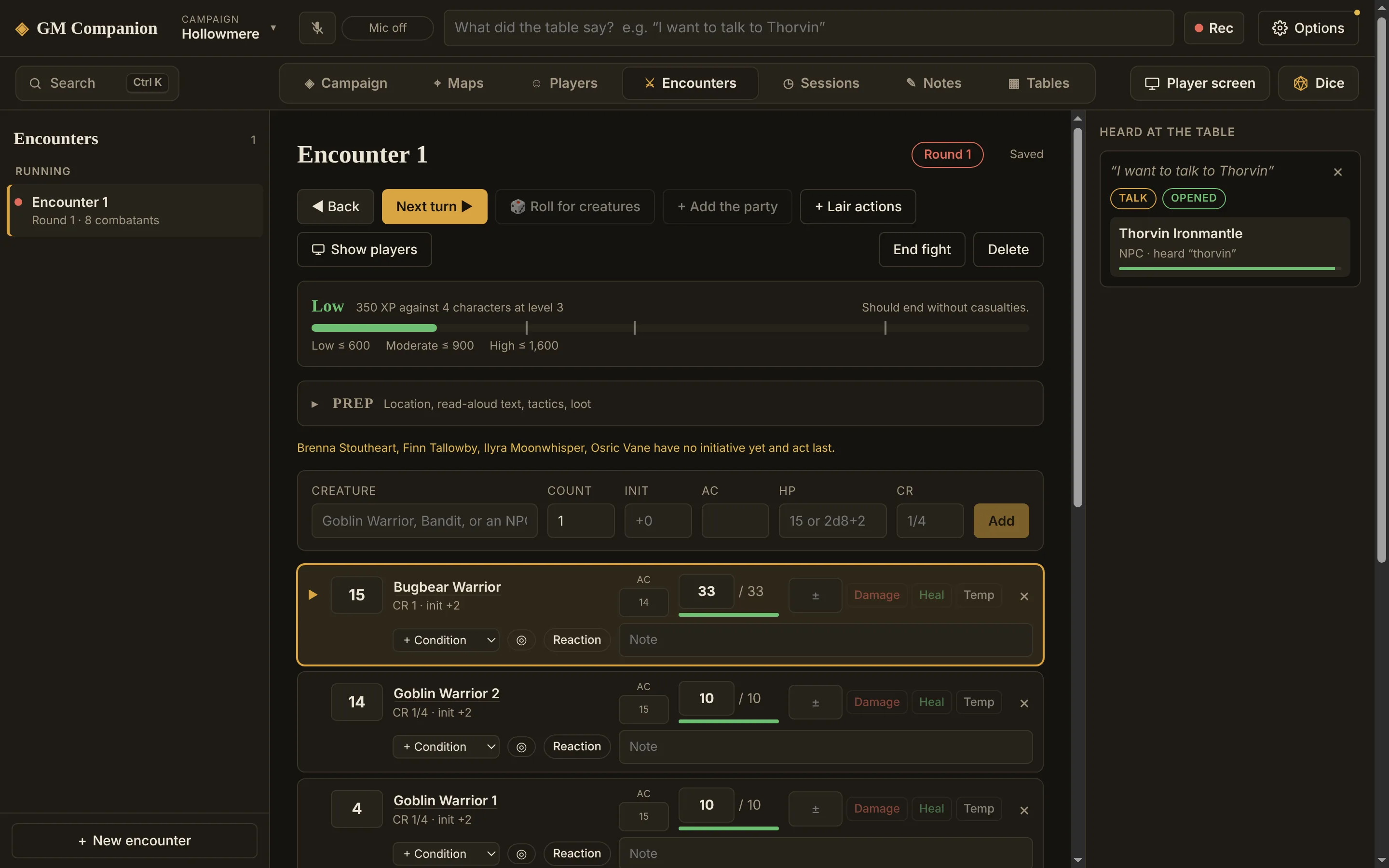
Plan a fight
- Click + New encounterIn the Encounters tab.
- Add creatures
Type in the Creature box to search the 341 SRD monsters and your own NPCs and factions. Set a Count for groups: 3 makes Goblin Warrior 1, 2 and 3. Then click Add.
A monster fills in its AC, HP, initiative bonus and CR, and links its stat block. Type dice in the HP box (like
8d10+24) to roll each one's hit points instead of using the average. Anything else becomes a custom creature: give it a CR to count its XP. - Add the party+ Add the party brings in every character from the Players tab.
- Check the difficultyThe bar shows how hard the fight is for your party, from Low to Moderate, High, and Beyond High, using the 2024 XP budget.
- Prepare the rest (optional)Open Prep for the location, read-aloud text, tactics, loot and notes. In a lair? + Lair actions adds the lair's turn on initiative 20.
Run it
- Roll initiativeType each player's roll, then Roll for creatures rolls the rest. The list sorts itself.
- StartStart, then Next turn and Back step through the order and count rounds. Creatures at 0 HP are skipped.
- Track damageType an amount next to a creature, then Damage (or Enter), Heal or Temp for temporary hit points, which are used up first.
- End the fightEnd fight moves it to Done. Reset restores everything so you can run it again.
Everything else it tracks
- Stat blocks: click a monster's name to open its full stat block beside the tracker.
- Conditions: pick one from + Condition, with a duration if it has one (1, 2 or 3 turns, or 1 minute). Timed conditions count down on the creature's turn, and you're told when one ends.
- Concentration: click ◎ and name the spell. When the creature takes damage, the app shows the save's DC with Kept and Lost.
- Death saves: a character at 0 HP gets Success, Failure, 20 and 1 buttons. Damage while down adds a failure, and healing clears them.
- Legendary actions and reactions: shown as pips to spend, and they come back at the start of the creature's turn.
- Notes: a note field on every row, for “hiding behind the crates” or “marked by Ilyra”.
Everything saves as you go, so closing the app mid-fight loses nothing.