
All guides
Notes
The Notes tab is your own notebook: plans for next session, reminders, rulings, ideas. Tag a note with the NPCs, places, characters or sessions it's about, and it shows up on their pages too.
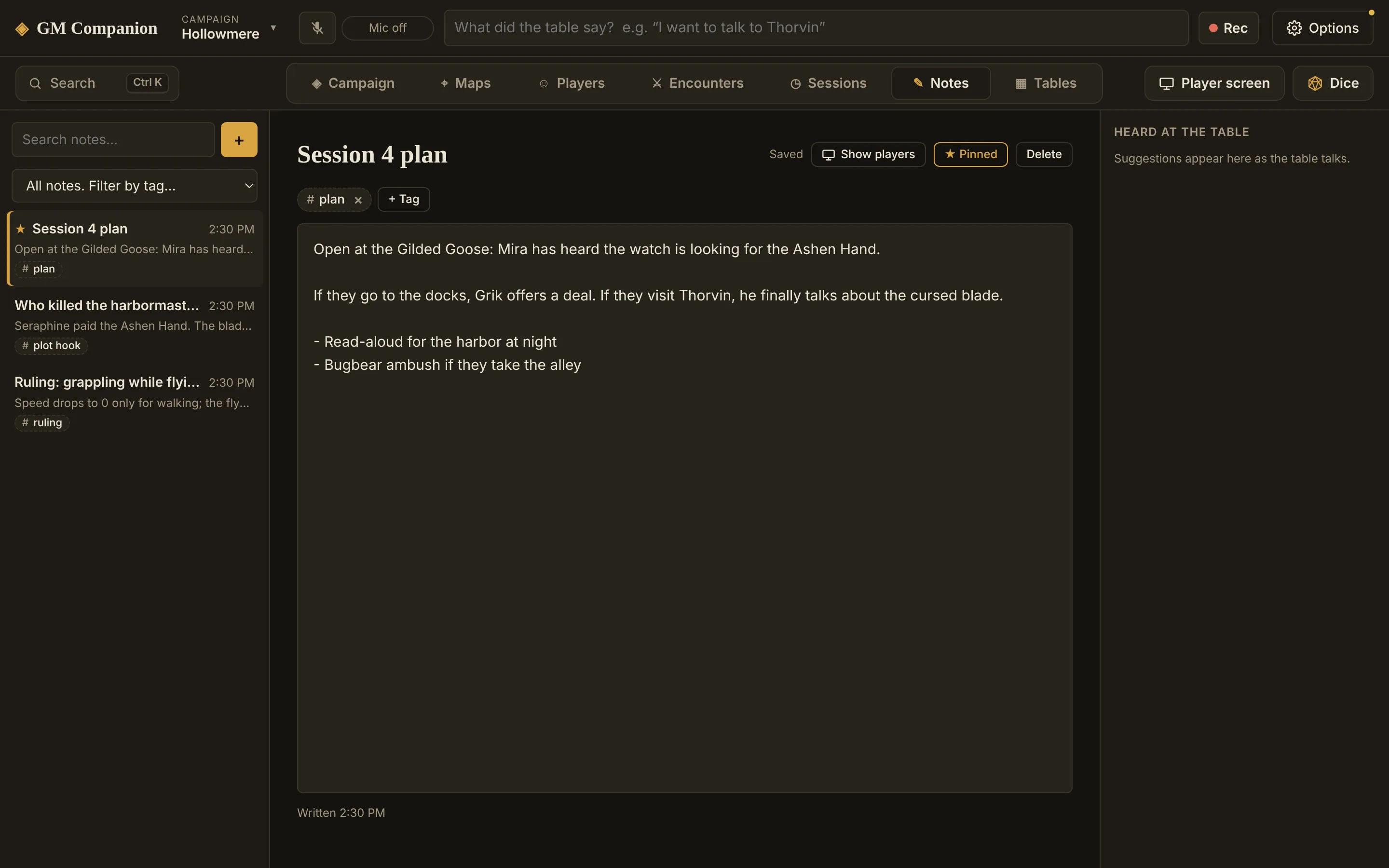
Write a note
- Click +At the top of the Notes tab. You can also type “new note” in quick search.
- Give it a title and writeIt saves by itself as you type. There's no Save button to forget.
- Tag it+ Tag finds anything in your campaign: NPCs, locations, factions, items, lore, player characters, sessions and encounters. Type any other word to make a plain tag like “todo” or “plot hook”.
Keep them organized
- Pin the notes you need most, like this week's plan. Pinned notes stay at the top.
- Search looks through titles, text and tags. Filter by tag shows only the notes with one tag.
- Click a tag to open what it points at, or a plain tag to filter by it.
- Tags follow renames: rename Thorvin and his tag changes everywhere.
Notes about this
Every profile, character, session and encounter has a Notes about this panel listing the notes tagged with it. + Note there starts a note already tagged, which is the quickest way to jot something about whoever is open.
A note you leave completely empty is deleted when you move on, so you won't collect blank notes.