
All guides
Dice, tables and generators
For everything the dice decide, and everything you didn't plan: a dice roller with 3D dice, roll tables, and generators for NPCs, names and taverns.
Dice
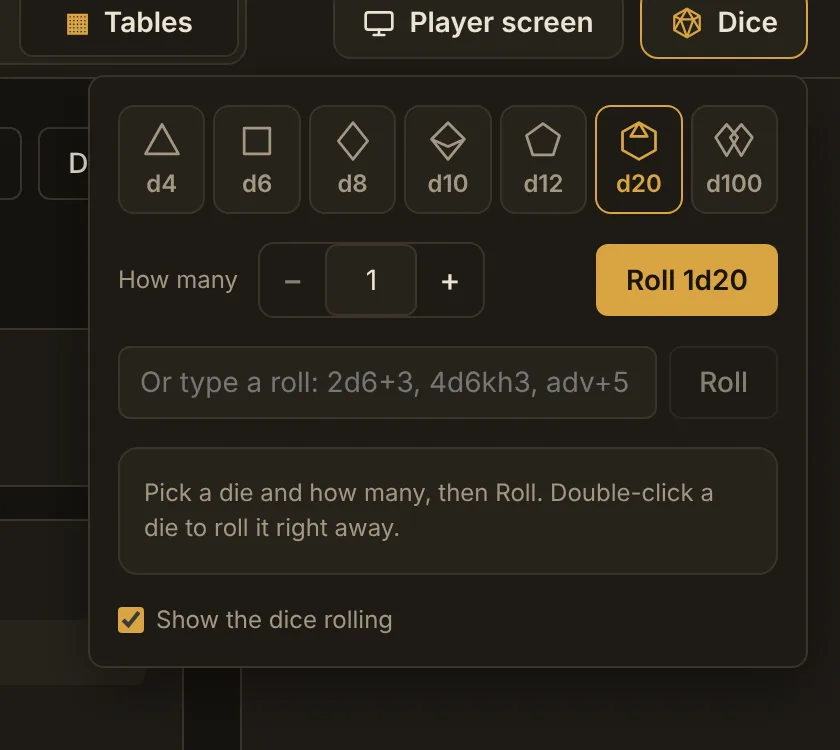
- Click DiceAt the right end of the tab bar.
- Pick a die and how manyd4, d6, d8, d10, d12, d20 or d100, from 1 to 20 dice.
- RollThe dice tumble across the window, then the panel shows the total, each die, and “Natural 20” or “Natural 1” on a single d20. Double-click a die to roll one right away.
You can also type a roll in the box under the dice: 2d6+3, 4d6kh3 (keep the highest three), 4d6dl1 (drop the lowest), adv+5 or d20 dis for advantage and disadvantage, and d%. The last few rolls stay listed, and the Dice button keeps showing your last total.
Roll tables
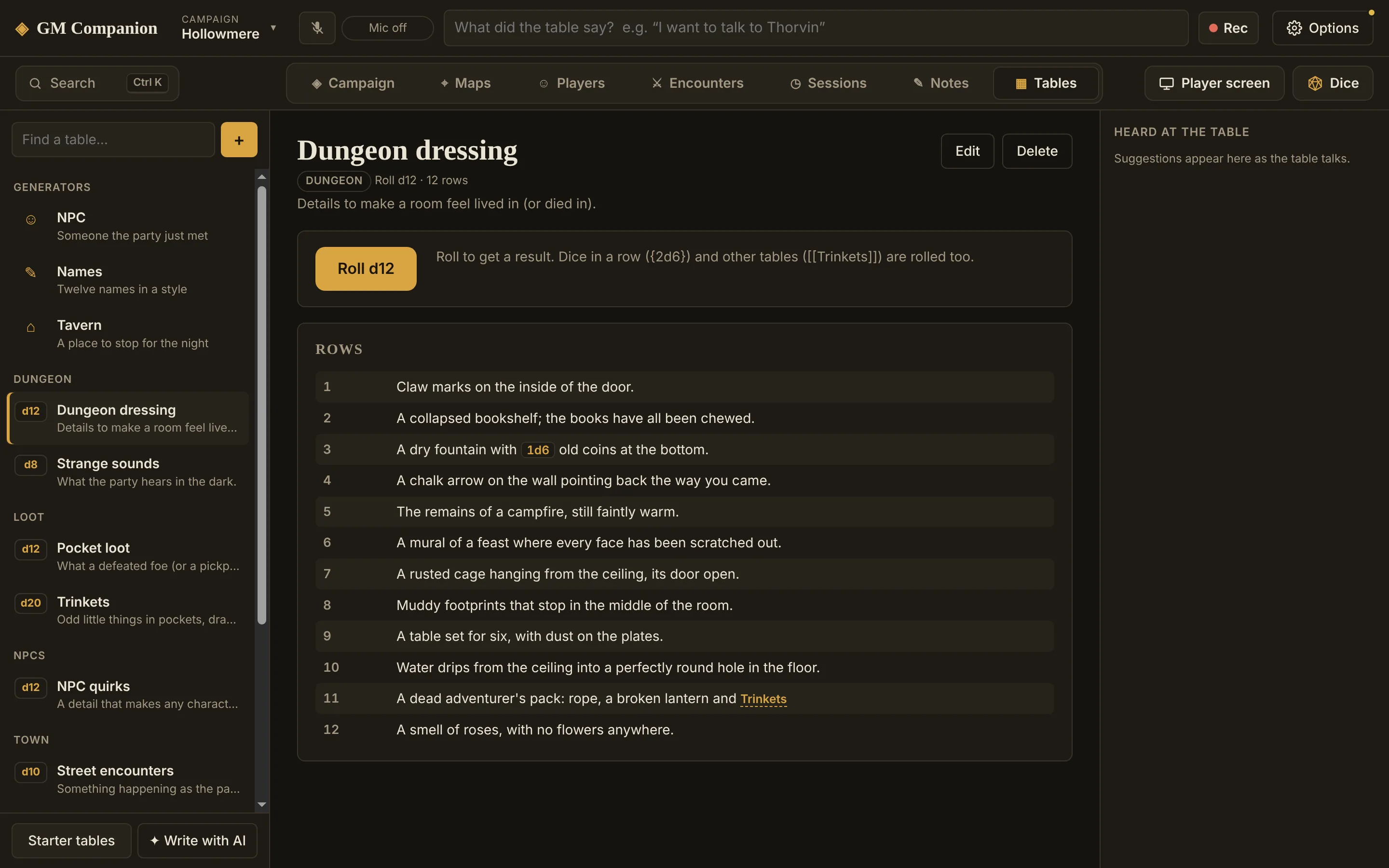
The Tables tab holds your campaign's roll tables. Click Starter tables for a ready-made set: tavern rumors, street encounters, trinkets, pocket loot, weather, travel complications, campsite events, dungeon dressing, strange sounds and NPC quirks.
Rolling
Open a table and click Roll. The result comes with Copy, Show players and Save as a note.
Making your own
- + makes a new table. Each row has a weight: a row with 2 is twice as likely as a row with 1. The weights set the die, so six rows of 1 are a d6.
- Paste a list turns text into rows, one per line. If every line starts with its numbers (“1-3 Goblins”, “96-00 A dragon”), those ranges become the weights, so tables from books paste in as they are.
- Dice inside a row: write
{2d6} gold piecesand the dice are rolled each time. - Tables inside a row: write
[[Trinkets]]and the app rolls on your Trinkets table too. - Write with AI drafts a table about anything, like “rumors heard in the docks of Hollowmere”, using what your campaign already has. You check it before it's saved.
Generators
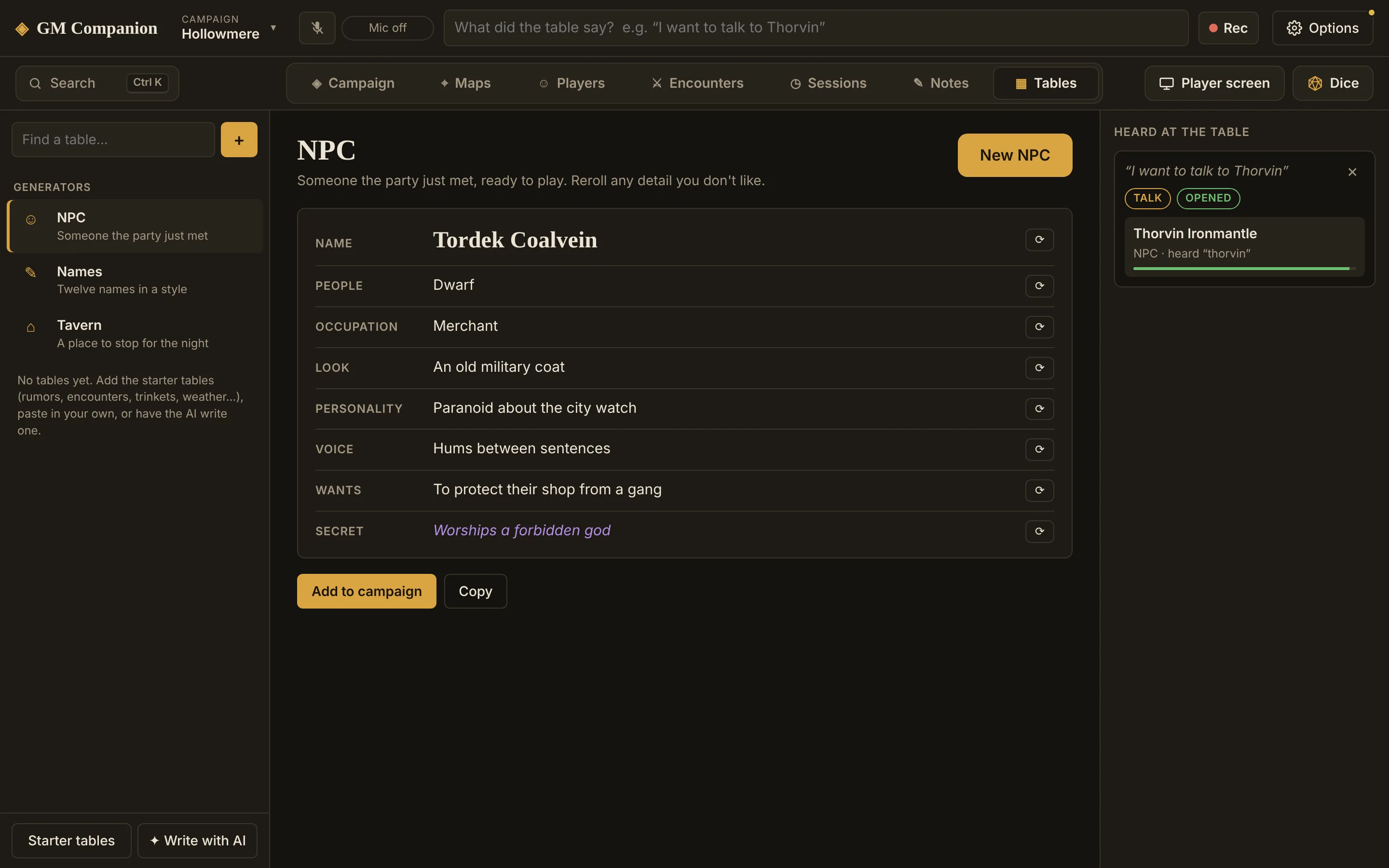
Three generators sit at the top of the Tables tab. They work offline and instantly, no AI needed:
- NPC: a name, people, occupation, look, personality, voice, what they want and a secret. Reroll any detail you don't like.
- Names: twelve at a time, in eight styles.
- Tavern: a name, owner, what it's known for, atmosphere, regulars and a rumor.
Add to campaign saves an NPC or a tavern as an entry with all its details, so the dockhand you made up on the spot is there next session.